Today install Windows 8.1 on my PC on my new harddisk. Try to migrate my previous Windows 8.0 to new harddisk but found it too difficult. Perhaps trying to accomplish too much at one go. Windows 8.0 on old harddisk uses MBR partition and trying to put Windows 8.1 on new harddisk using GPT partition. Guess just too many to take care at one go. So after spending two days trying to migrate and failed, abandon the idea and install a fresh copy of Windows 8.1.
Some basic explanation.
I want to have only one partition. My installation files are in USB stick. If during boot up, I press the F8 key to allow me to select which drive to boot up from. If I select using MBR(normal) boot up instead of UEFI, during installation I would not be able to specified a partition size larger than 2TB. If I select using UEFI boot up, I can then specified the whole 3TB.
So if I use MBR boot up, I ended up with the first usable partition of 2TB and the second partition 1 TB. If I use UEFI boot up, I ended up 1 usable partition of of 3TB. Technically the installer will create additional system partition automatically, so you will have more once you completed your installation.
I purchase a harddisk of 3TB and I do not want my harddisk to be split into 2 partition, I want everything in one partition, so no choice has to use GPT partitition.
Some of the gotcha that you need to take care if you are going to use a GPT partition.
1) You must have a BIOS that support UEFI. If you do not have, forget about GPT.
2) Your installation disk must be in FAT32. No NTFS. I made that mistake. By using NTFS, it would not allow you to partition a harddisk in GPT.
3) When booting up, select UEFI bootup. All UEFI boot partition has a "UEFI" word in front of it.
4) Your must install a 64bit OS. 32bit OS will not be able to see GPT.
So is Windows 8.1 worth the upgrade? I'll blog about it after I have spend some time with it.
Sunday, 22 December 2013

Wednesday, 20 November 2013
Games: No More Room In Hell Review
No More Room In Hell PC Review

No More Room In Hell is a game that focuses on survival and killing zombies. This isn't a Left For Dead 2 copycat ; in L4D2 you can just kill waves and waves of zombies because you're just so overpowered compared to zombies. In NMRIH, it is more realistic. Zombies can kill you after just hitting you a few times, while bullets and guns are rare and hard to get. Survival mode focuses on two things: Objective and Defend. In objective, you have to follow the objectives to win the game. In Defend, you have to defend two zones, Zone A and Zone B. Defend long enough, and the army will send in crates containing bullets and weapons to help you ; failure to defend both zones will result in the game ending.
Sometimes if a zombie hits you, you will be infected and eventually will turn into a zombie. And here's the awesome part: Tell your friends that you are infected , or risk staying alive and turn into a zombie that might kill your friends?
 |
| Infected |
 |
| Not infected |
Servers are extremely stable, if you compare them to the slow servers from Simcity and the constant crashing of servers on Battlefield 4. Honestly though it was hard for me to find weakness of this game.
The only complaint I have is the lack of objectives and only two types of zombies.
WARNING: This game will include kids as zombies. If you're sensitive towards killing kids, then I advise you not to play this game.
 |
| Just killed a zombie kid. |
Pros: - Awesome alternative to L4D2
- Zombies feel more realistic and doesn't have absurd powers
- Supports up to 8 players, better than 4 on L4D2
- Servers are stable
- Free
Cons: -Lack Of Objectives in a game
-Limited Free Roaming: Some doors can't be opened.
Conclusion: NMRIH is a great zombie game. It has great graphics, good gameplay and it's realistic.
You can pick it up now on Steam for free.
Rating: 9/10
As always, please share this page with your friends !
As always, please share this page with your friends !
Tuesday, 19 November 2013
Razer Blackwidow Gaming Equipment Review
Razer Blackwidow Tournament Edition Review


The Razer Blackwidow Tournament Edition (not to be confused with other versions of the Blackwidow) is a mechanical keyboard, and comes with blue switches. The mechanical specification for the Blackwidow means that they respond faster than membrane keyboards They also come with detachable braided USB cables, which means it is easier to locate them if you tangled them with other cables. Another feature is it comes with a "Gaming Mode" key, which means that you can turn it on when you're gaming so it deactivates the Windows key.
Pros
-Mechanical
-Detachable Braided Cables
-Respond time is fast
Cons
-Doesn't have a numpad
-Blue Switches means types louder than normal keyboards.
Rating : 8/10
You can buy the Razer Blackwidow Tournament Edition at a recommended price of USD 70.
Please share our pages with your friends and do visit us more often!
People say I'm biased when it's comes to Razer products. This might be true, since they charge slightly more for the same stuff which could be bought from other companies for a cheaper price. But they include booklets inside their products , which makes you feel rewarded for buying their products.
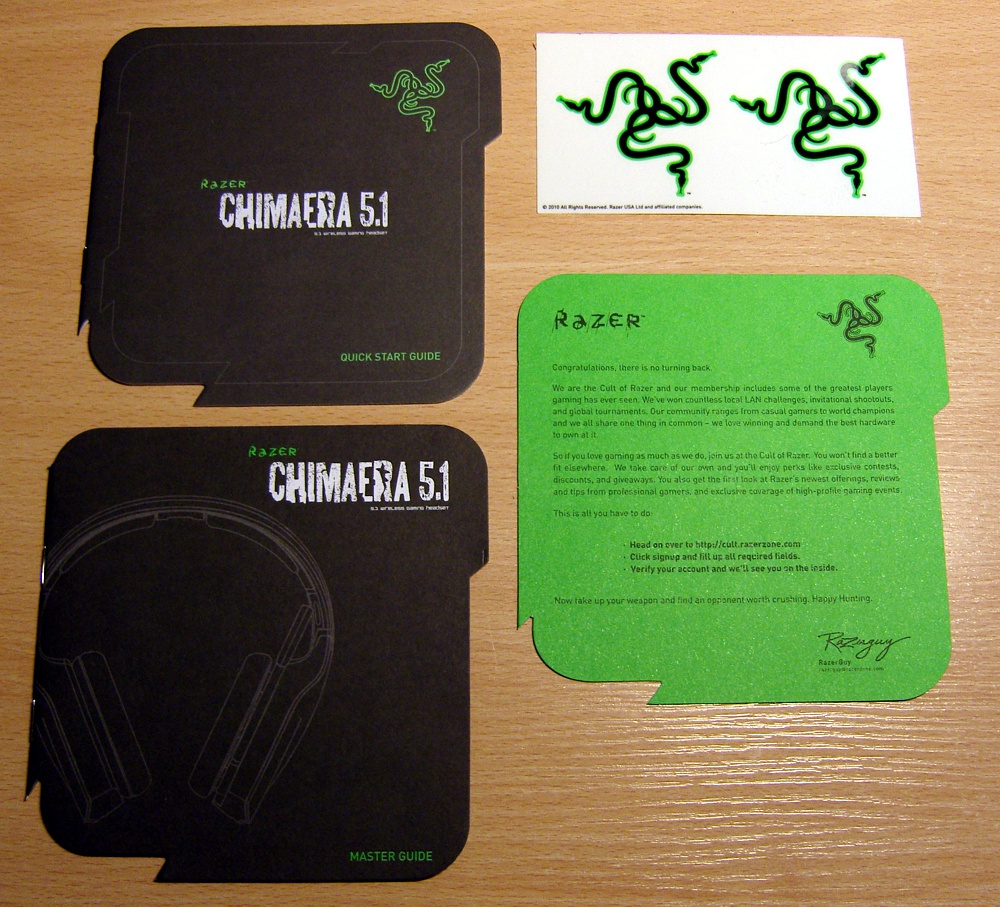
This types of booklets are what makes you feel rewarded for buying Razer.
The Razer Blackwidow Tournament Edition (not to be confused with other versions of the Blackwidow) is a mechanical keyboard, and comes with blue switches. The mechanical specification for the Blackwidow means that they respond faster than membrane keyboards They also come with detachable braided USB cables, which means it is easier to locate them if you tangled them with other cables. Another feature is it comes with a "Gaming Mode" key, which means that you can turn it on when you're gaming so it deactivates the Windows key.
Pros
-Mechanical
-Detachable Braided Cables
-Respond time is fast
Cons
-Doesn't have a numpad
-Blue Switches means types louder than normal keyboards.
Rating : 8/10
You can buy the Razer Blackwidow Tournament Edition at a recommended price of USD 70.
Please share our pages with your friends and do visit us more often!
Monday, 18 November 2013
Welcome
Welcome to the PC Consumer Blogspot.
Things that we are going to post:
-Games
-Gaming Equipment
-Hardware
We're still new on blogspot, so please bear with us while we update this blog :)
Things that we are going to post:
-Games
-Gaming Equipment
-Hardware
We're still new on blogspot, so please bear with us while we update this blog :)
Subscribe to:
Comments (Atom)